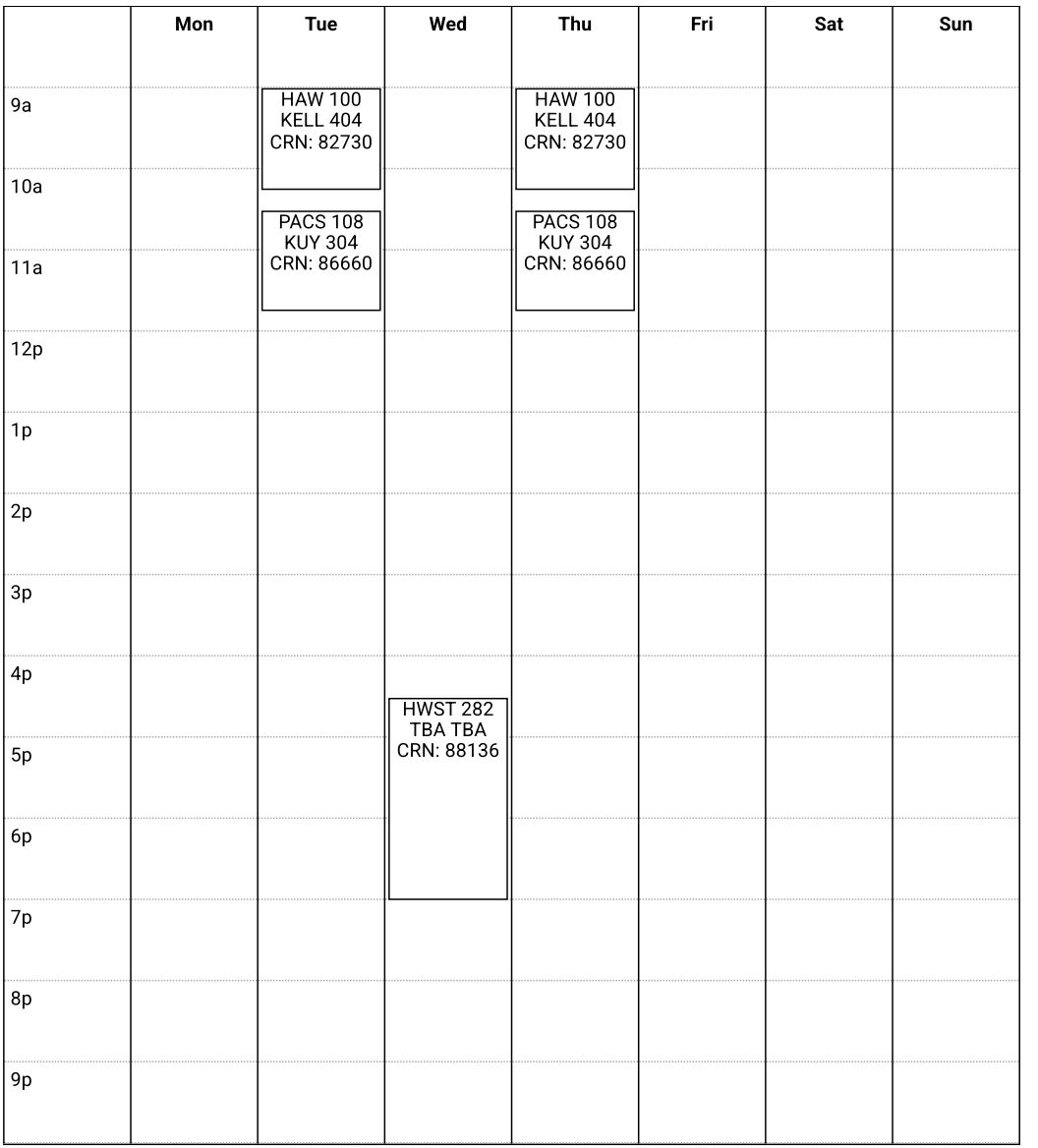
🔎 University of Hawaii at Manoa | Course Selection Guide
Organizing six months of living expenses, budget for sister's visit, cash preparation before departure, and essential documents for opening an account at Bank of Hawaii, providing the most comprehensive reference for living expenses in Hawaii.
I originally thought I would have time to explore the school’s online resources, but later realized I am a clown who can’t finish tasks 🤡
Not only is my edusaerch progress stalled, but I’ve also encountered some issues in my studies (usually, I blame it on not being in a good state), but the truth is I am just a bit lazy.
About Course Selection
Due to some personal factors, I completely did not consult seniors or school officials before selecting courses, so I purely interpreted the online announcements and implemented them myself. This method should be feasible, right? But recently, I was unsure what to share on my blog, so here I am sharing a bit~
Star GPS
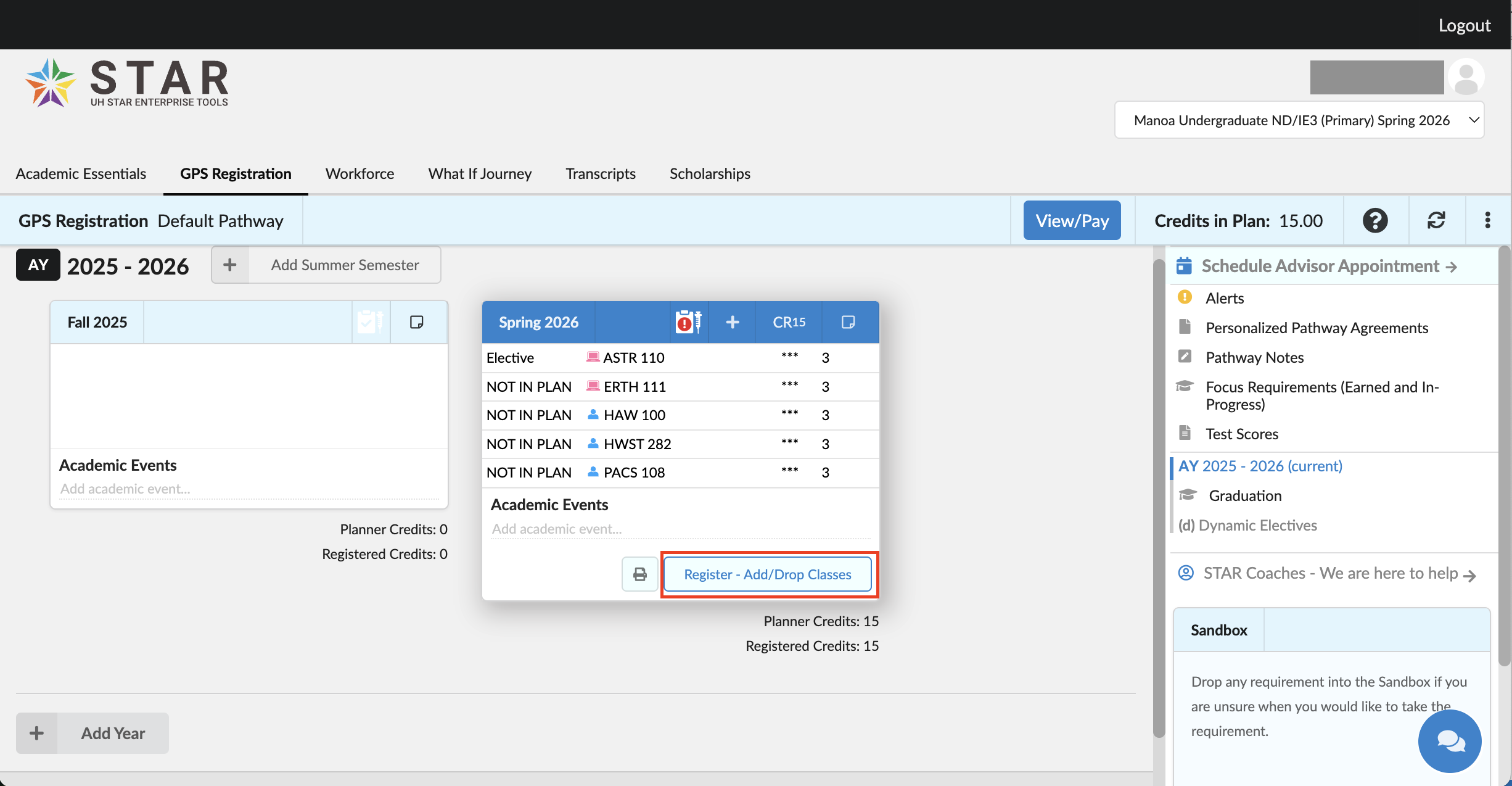
Star GPS is the tool used by UH Manoa for course registration (let’s understand it this way for now). Once I understand it better, I can write a detailed post XD

Before selecting courses, make sure you have completed the following tasks:
- Submitted health information
- If there are ELI restrictions, you need to register for the exam first
ELI is for students with insufficient English proficiency, requiring additional English courses. - Purchased student health insurance (just need to buy it before 1/12, can register for courses = secure a spot)
- Filled out personal information
I previously wrote about submitting health information, please see 🌺 After getting the visa, other enrollment procedures. Information related to ELI (English courses) can be found on the ELI webpage. Health insurance could not be purchased before I published this article; it will be uniformly available after 12/6. I forget the specific reason… QQ
Update / Fill in Personal Information
To fill in personal information, you will be redirected to a link after clicking the button below; I didn’t capture the screenshot QQ
You need to fill in the following information:
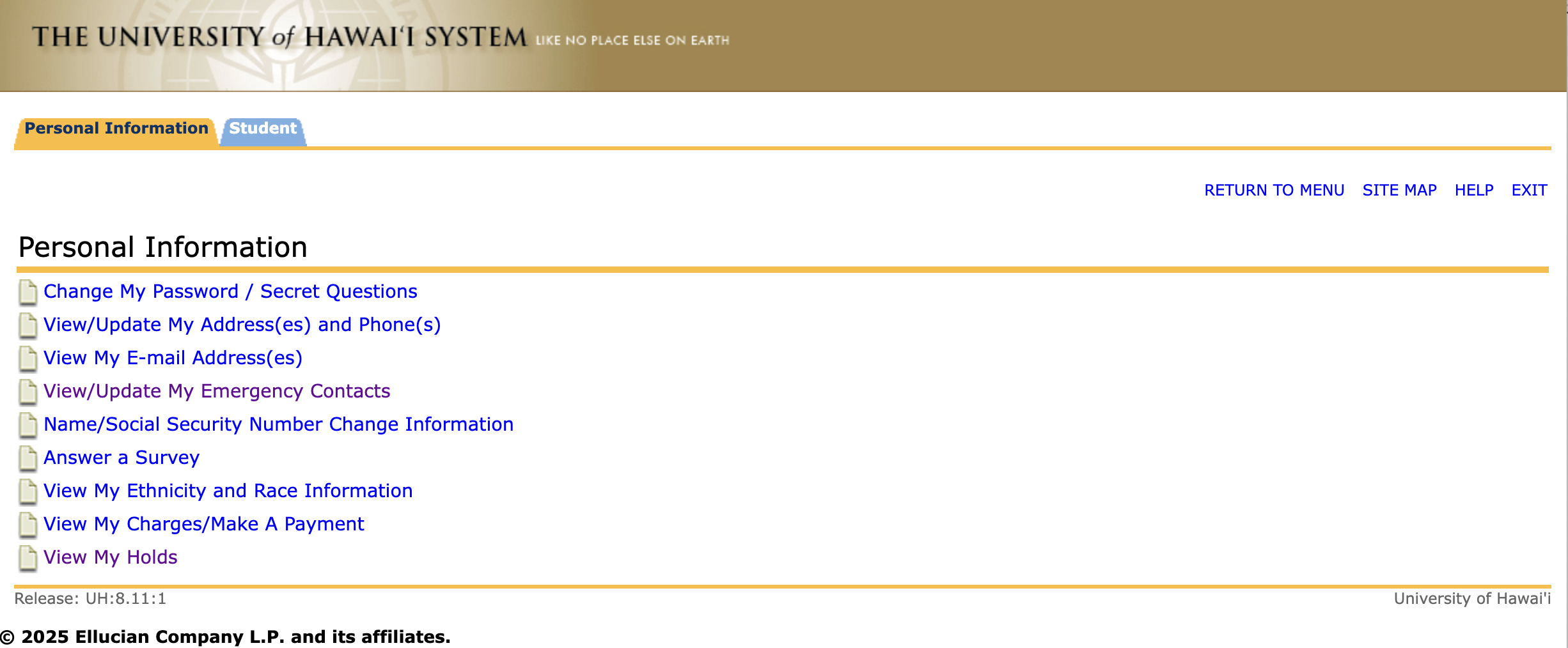
- Address (home + mailing), phone
- Emergency contact
- Complete the questionnaire, which roughly asks about academic goals (I wasn’t very clear-headed while filling it out.. but it shouldn’t be too important)
Then submit! You can enter the course selection system~
Course Selection Page
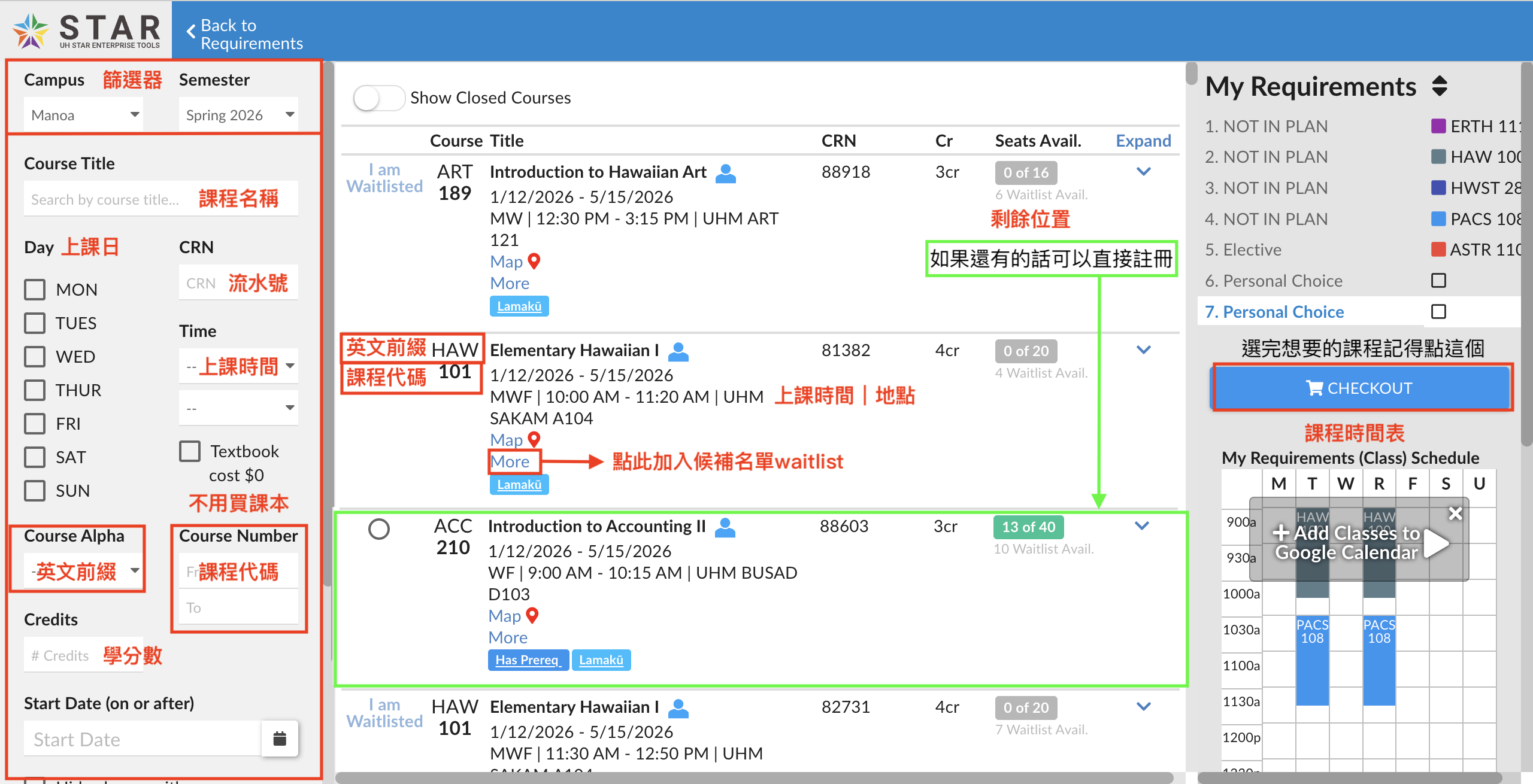
Scrolling down the filter, there are more filter fields, such as college, professor name, course mode (online, hybrid, in-person), or filtering out courses with prerequisite restrictions.
For exchange students, what is displayed on the screen is sufficient~ After all, taking too many credits can be quite exhausting 💦
English Prefix: Represents different types of courses, for example, ERTH represents Earth Science-related courses, while KOR and JPN represent Korean and Japanese, etc.
Course Code: 1XX~3XX seems to be the courses generally available for exchange students (as freshmen). Of course, if you want to choose 4XX or 5XX type courses, you need to contact the department or the professor directly. The official explanation is that 1XX represents first-year courses, 2XX represents second-year courses, and so on~
After selecting courses, be sure to click the checkout button, which will take you to the next page. At this point, the course seat is still not reserved for you.
You must click the SUBMIT - ADD/DROP CLASSES button to successfully secure your seat in this course.
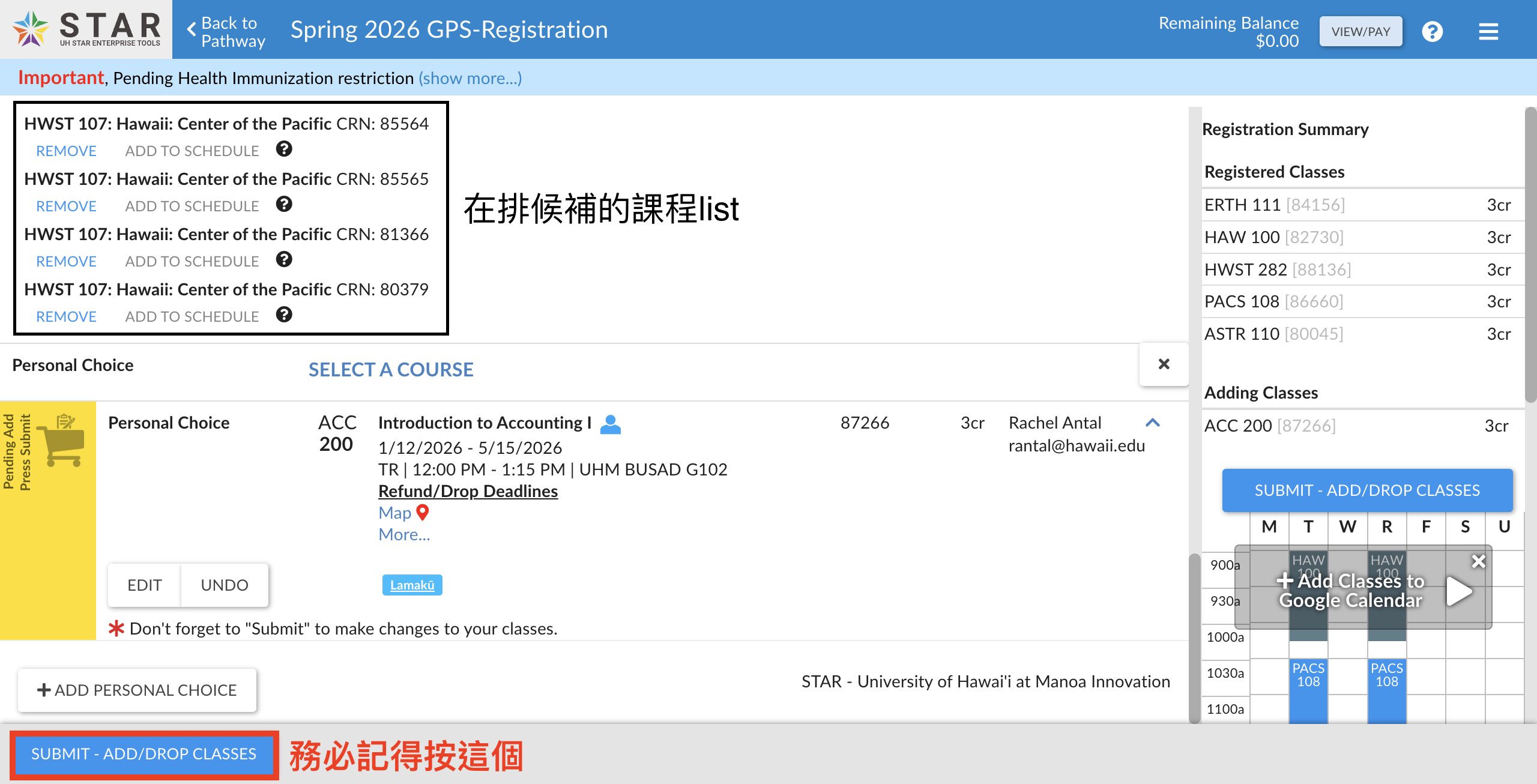
Perhaps waitlist or other restricted (prerequisite) courses can be added by contacting the department/professor directly (?).
But I am so lazy; I have already taken over 170 credits at NTU, so I’ll rest whenever I can~ Just remember to meet the visa requirements (12 credits).
You can add or drop courses during the selection period, but it seems there are a few days for maintenance that you need to pay attention to!
After Course Selection
You can return to the Star GPS page and see your class schedule 🎉
Click here to go to Star GPS