LINE Official Account Function Research | Graphic Menu and Keyword Response
Explore how to use LINE Official Accounts for interactive design and educational applications, including graphic menus and automatic reply design.
📘 Why Do You Need a LINE Official Account?
LINE is the platform most familiar to most Taiwanese people.
Through the official account, we can design features such as automatic replies, rich menus, keyword triggers, and mass messaging, creating an immediate and effective service entry point.
The key point is!!! There is a free quota! There is a free quota! There is a free quota! It’s super important to say it three times XD
This means that even individual operators can provide professional and warm learning service interfaces at a low cost, which is very worthwhile for educators to make good use of.
Initially, I set up a LINE official account just to unify the handling of tutoring-related matters—such as scheduling, notifications, and sending teaching materials.
However, after a few weeks of use, I began to feel that the potential of this account was more than that.
Perhaps it could be more than just a contact window; it could become a brand entry point or even the starting point of a learning experience.
So I started spending time researching various features on the interface, including rich menus, automatic replies, form integration… and even made a grand wish (?) to challenge API integration.
During that time, I followed many stores’ official LINE accounts, trying to analyze how they designed their content and interfaces.
Unfortunately, as things piled up later, I didn’t have time to study the development documents in detail, and the goal of API integration was quietly set aside (noted for later XD).
So what exactly did I accomplish?
Excluding some detailed settings, the two main functions I completed are:
- Rich menu design
- Keyword automatic replies
What does such an interface look like? Let’s take a look at the images.
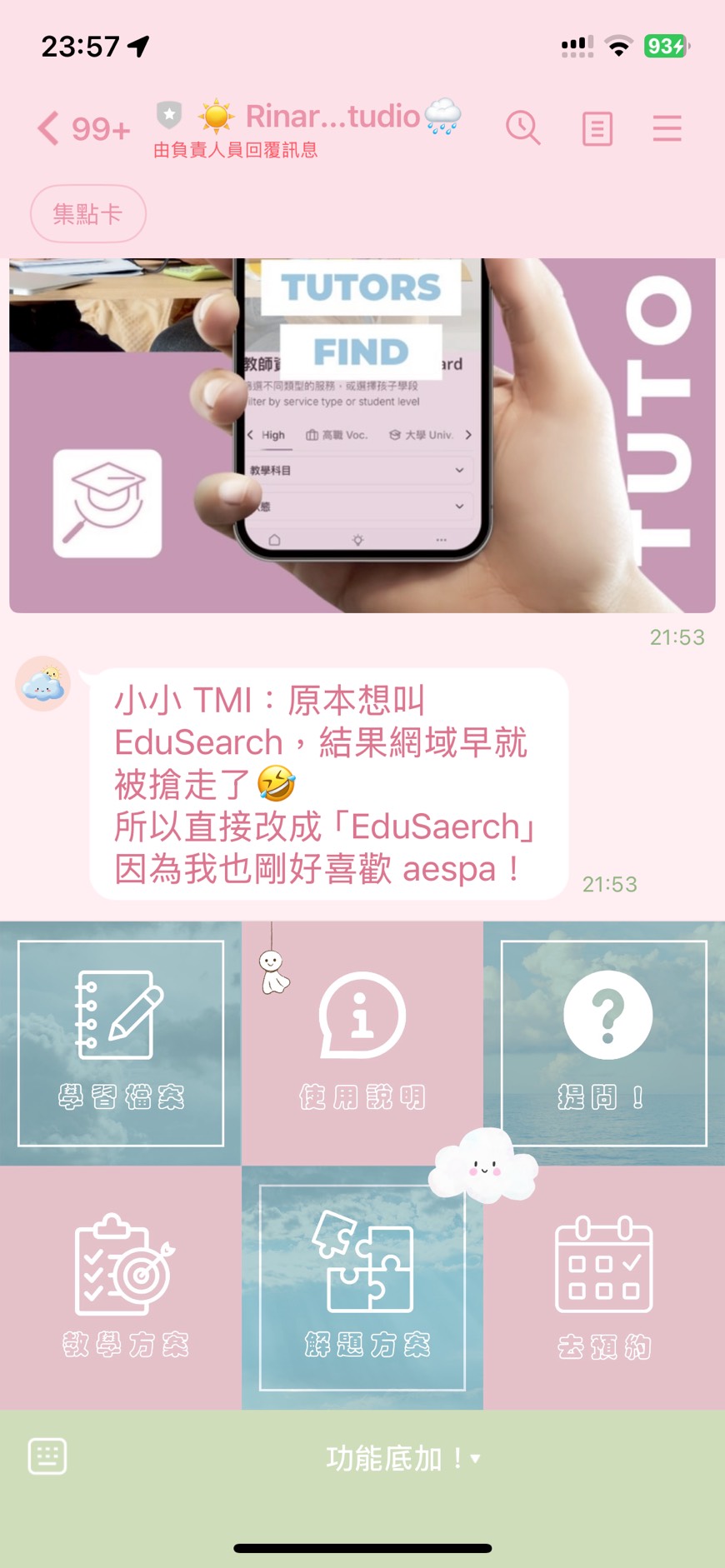
🧭 Function One: Rich Menu Design and Application
🎯 Design Goals
- Provide an entry point for “one-click inquiries,” such as class records, finding teachers, filling out forms
- Enhance brand recognition (the exclusive style of Rinario Studio)
📐 Design Principles
- Use 3 to 6 buttons, apply templates (not many choices)
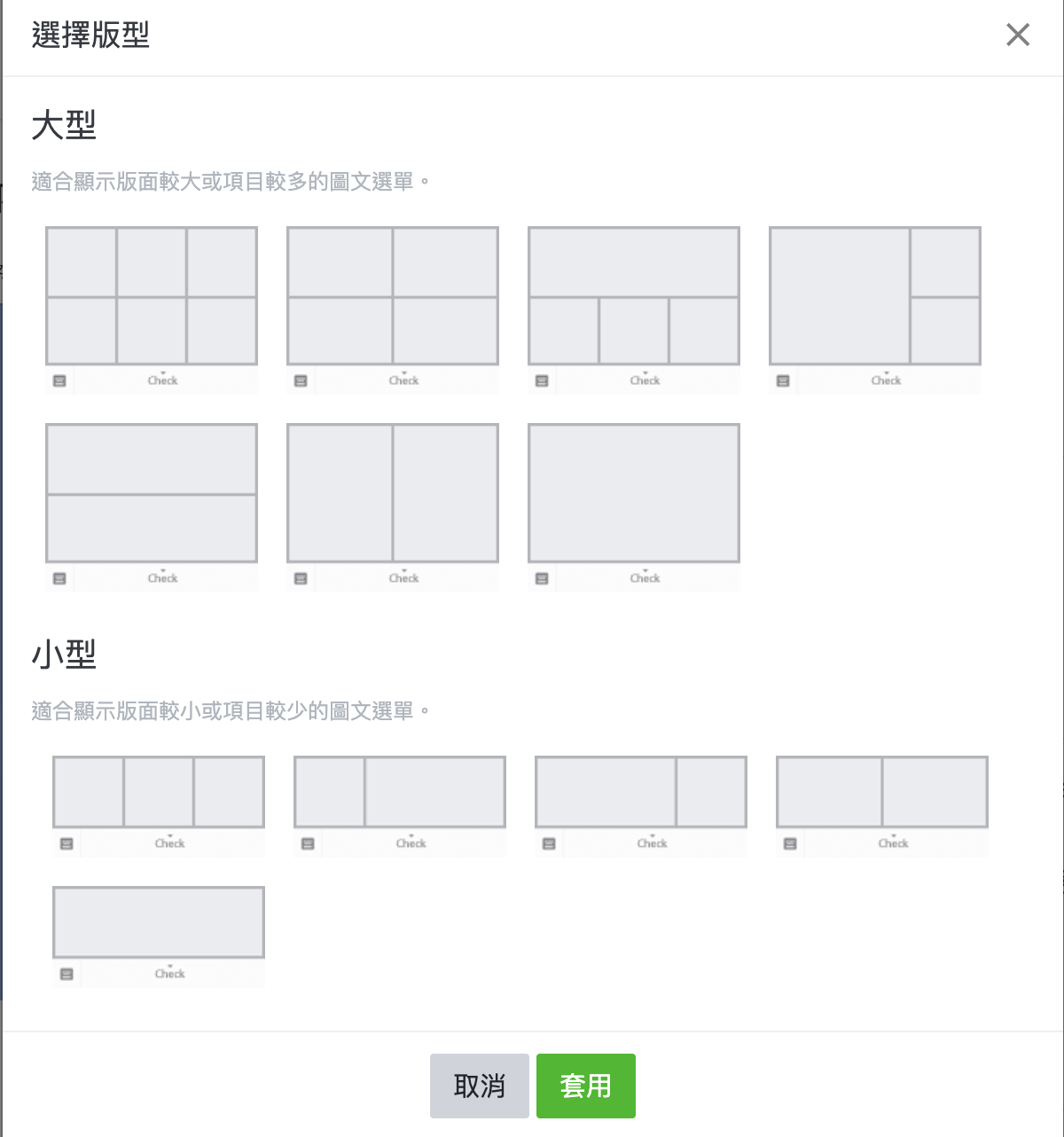
- Consistent style of icons and fonts to maintain recognizability
- Combine LINE’s default tools or use Canva like I do
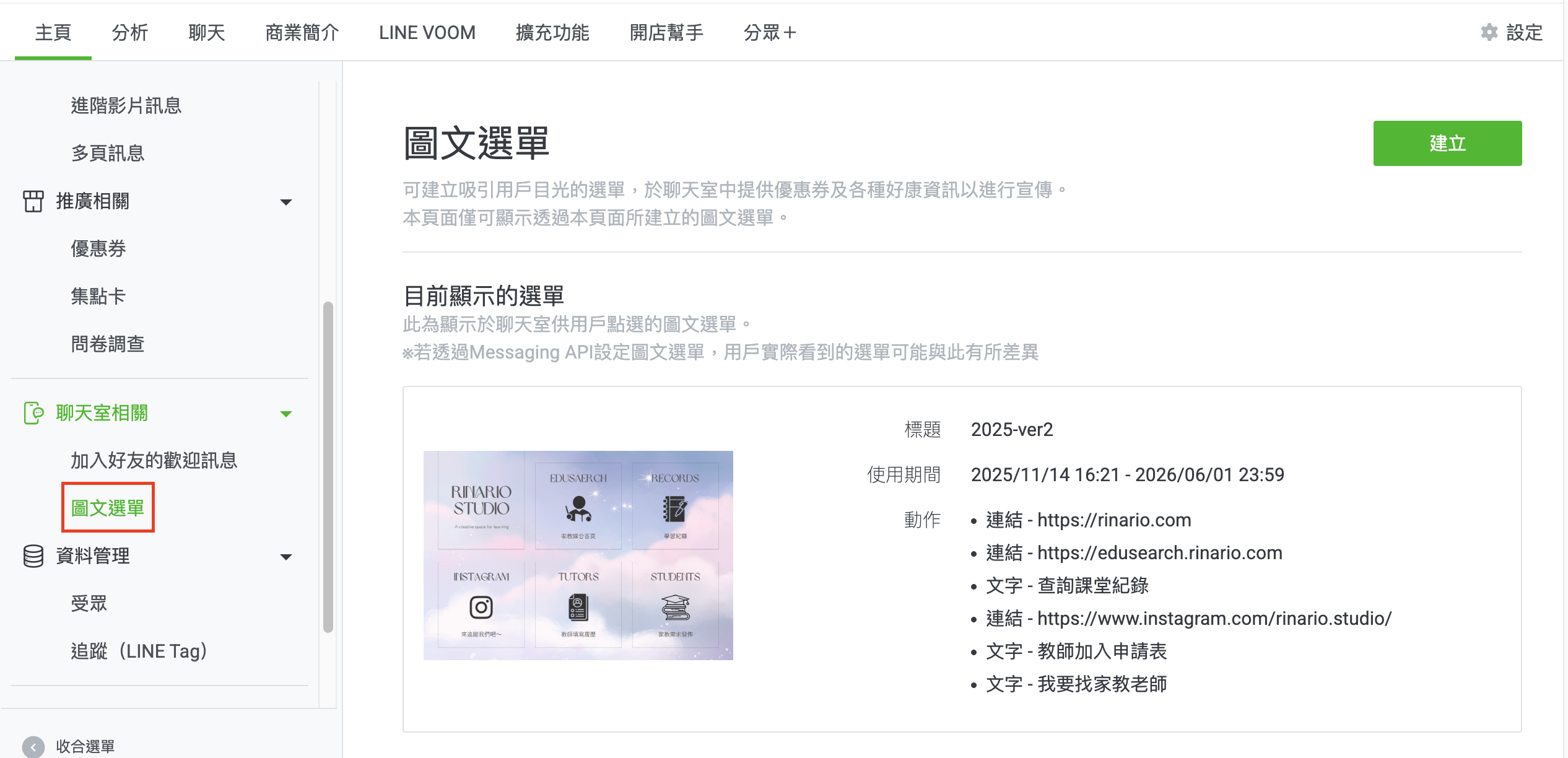
📷 Actual Screenshots
The ideal process should be like this:
👉 Click the rich menu → The official account immediately sends the corresponding message.
But the actual operation process is like this:
👉 Click the rich menu → The user actively sends a keyword message → The official account then sends the corresponding content.
In other words, the “rich menu” itself cannot directly trigger a reply message; it can only call out a “keyword.” After the user sends it, the “keyword response” function returns the message.
This adds an extra step, making the experience a bit awkward.
This is because the button types for the rich menu are limited to the following:
- Link
- Coupon
- Text (this is essentially “allowing the user to send a text message”)
- Loyalty card
- No setting
I wish for a future release of a “direct reply message” button setting (?)
Achieving this “click to reply” effect is not entirely impossible; you just need to:
- Set up a webhook to listen for message events
- Integrate the LINE Messaging API yourself
- Write backend logic to handle events from the rich menu and actively respond to users
(I don’t know the actual process above; it’s all from AI)
For developers, this might be (is it basic skill?), but for editors or educators with no background, this threshold is indeed a bit high (I’m also learning as I go QQ).
🤖 Function Two: Keyword Automatic Replies
✨ Design Logic
| Keyword | Automatic Reply Content |
|---|---|
| Learning Record | Provide individual record links + usage instructions |
| I want to find a teacher | Direct to the teacher overview or request form |
| Fill out form | Return Airtable form + filling instructions |
| Contact us | Display email or LINE text customer service method |
🚧 User Experience
The standards for keyword automatic replies are very strict; basically, there are only two options:
- Reply with the same text regardless of what the user replies
- The user must respond with text that is exactly the same as the “keyword”
Why do I emphasize “exactly the same”? Because there’s no way to format the text sent by the customer, which is a bit troublesome (but not too much).
Although many keywords can be set, I was hoping for an automatic reply as soon as the “keyword” is captured.
If I successfully develop it later, I’ll share the code.
🛠 Extended Applications: Integration with External Tools
- Google Forms / Airtable Forms: Quickly collect requests
- Learning Record Documents: Integrate API or check via URL; currently, it still relies on sending the student’s name and then replying with the link.
📌 Challenges Encountered
- There can be a time delay when updating the rich menu, and users may not see the new content immediately.
- Message formatting is relatively difficult; it needs to be clear and aesthetically pleasing, requiring multiple attempts.
- Each parent has a different familiarity with the LINE interface, often needing additional explanatory text to avoid misunderstandings.
🚧 Features Under Development
- API integration for the learning record page (good news, I finally succeeded in establishing my API recently)
- LINE mass messaging and automatic classification of messages
- Integration of teaching progress tracking notifications
💬 LINE is a bridge for communication and also part of the interface.
Designing a practical LINE official account is not just for marketing but also to create a smooth learning communication experience.
If you are also an educator or creator, I hope this note can help you avoid some detours and manage communication in a gentler way, protecting your time.
More and more teachers are now choosing to use LINE Official Account as a communication window for their classes, which is really helpful. There’s no need to receive parent messages after work, allowing for clear boundaries and processes.
After all, teachers are also human and really need to relax after work QQ.
Did this content help you? If so, feel free to buy me a cup of coffee ☕